
Selectors and Basic Styling
Welcome back.
In the previous lesson, you learned what CSS is and how to connect it to HTML.
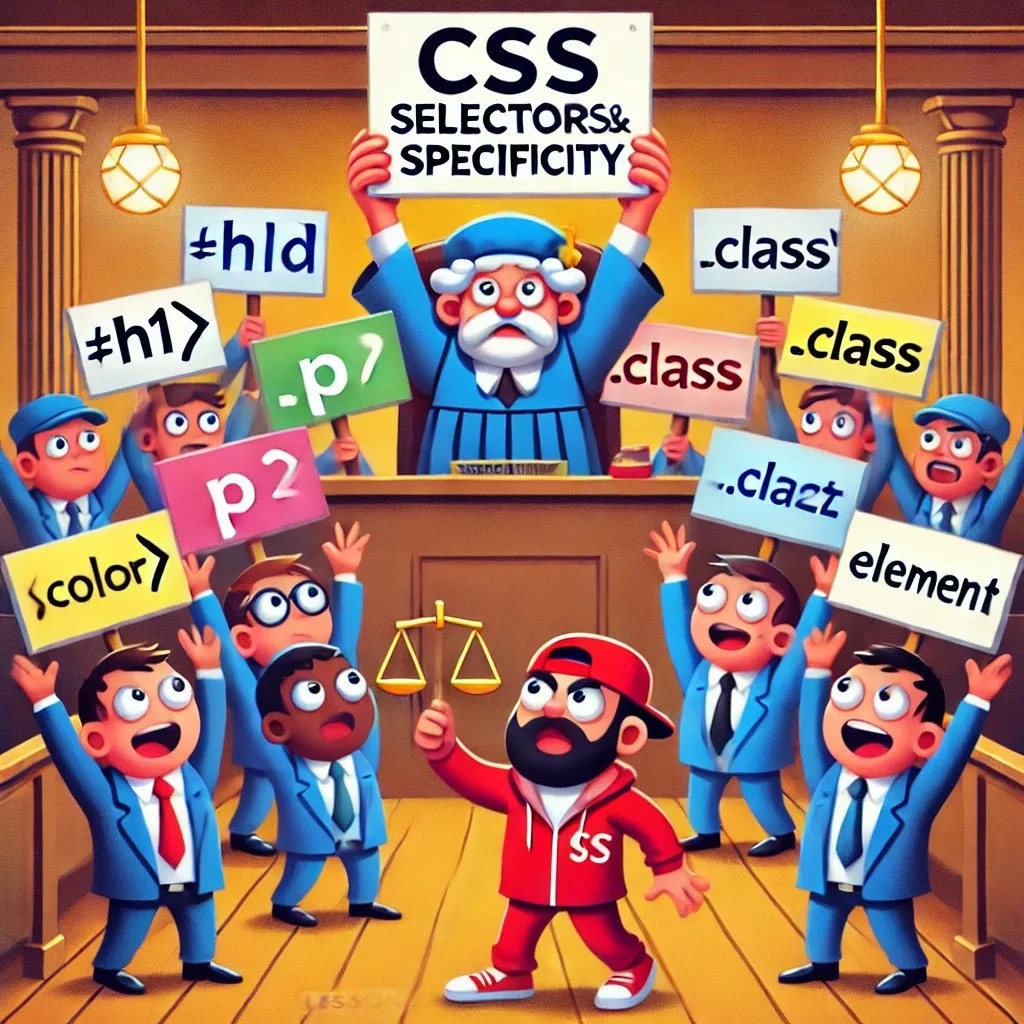
Now we learn selectors.
Selectors are how CSS chooses what to style.
Without selectors, CSS is just standing in the room shouting:
“Make it blue!”
And the browser asks:
“What exactly?”
Good question, browser.
Very professional.
What You’ll Learn
In this lesson, you’ll learn:
- what CSS selectors are;
- how element selectors work;
- how class selectors work;
- how ID selectors work;
- how grouped selectors work;
- how descendant selectors work;
- how to write cleaner CSS;
- how to apply basic styling to real HTML.
What Is a Selector?
A selector tells CSS which HTML elements to style.
Example:
p {
  color: gray;
}
Here, p is the selector.
It means:
Select all paragraph elements and make their text gray.
CSS always needs to know what it should style.
A selector is the “who”.
The declarations are the “what”.
Example:
h1 {
  color: blue;
  font-size: 48px;
}
This means:
Find every
h1, make it blue, and make it large.
Very direct.
Almost bossy.
But in web development, bossy can be useful.
Basic CSS Rule Structure
A CSS rule looks like this:
selector {
  property: value;
}
Example:
h2 {
  color: #111827;
}
The parts are:
h2— selector;color— property;#111827— value.
The selector chooses the element.
The property says what to change.
The value says how to change it.
CSS is just a list of instructions.
Sometimes elegant.
Sometimes dramatic.
Sometimes one missing semicolon away from confusion.
Create the Project
Create a folder for this lesson:
mkdir css-lesson2
cd css-lesson2
touch index.html
touch style.css
Now you have:
css-lesson2/
  index.html
  style.css
Open the folder in your editor.
We will write HTML first.
Then we will style it with different selectors.
That is the plan.
And this time the plan might actually survive contact with the browser.
Write the HTML
Open index.html and add this:
<!DOCTYPE html>
<html lang="en">
<head>
  <meta charset="UTF-8">
  <meta name="viewport" content="width=device-width, initial-scale=1.0">
  <title>CSS Selectors</title>
  <link rel="stylesheet" href="style.css">
</head>
<body>
  <header id="top">
    <h1>CSS Selectors</h1>
    <p class="intro">Selectors help CSS find the right HTML elements.</p>
  </header>

  <main>
    <section class="card">
      <h2>Element Selectors</h2>
      <p>Element selectors style all elements of the same type.</p>
    </section>

    <section class="card featured">
      <h2>Class Selectors</h2>
      <p>Class selectors are reusable and very useful.</p>
    </section>

    <section class="card">
      <h2>ID Selectors</h2>
      <p>ID selectors target one unique element on the page.</p>
    </section>

    <section class="practice-box">
      <h2>Practice Area</h2>
      <p>This area will help us test different selectors.</p>
      <a href="#top">Back to top</a>
    </section>
  </main>

  <footer>
    <p>Created while learning CSS selectors.</p>
  </footer>
</body>
</html>
Notice a few important things:
id="top";class="intro";class="card";class="card featured";class="practice-box".
These are hooks.
CSS can use them to style specific parts of the page.
Hooks are important.
Without hooks, CSS has to guess.
And CSS is not a detective.
Element Selectors
Element selectors target HTML elements by their tag name.
Example:
body {
  font-family: Arial, sans-serif;
}
This styles the whole body.
Another example:
p {
  font-size: 18px;
}
This styles all paragraphs.
Add this to style.css:
body {
  font-family: Arial, sans-serif;
  background-color: #f4f4f4;
  color: #222;
  margin: 0;
}

h1 {
  color: white;
  font-size: 48px;
}

h2 {
  color: #111827;
}

p {
  font-size: 18px;
  line-height: 1.6;
}
These are element selectors:
body;h1;h2;p.
They affect every matching element on the page.
Useful.
Powerful.
But sometimes too broad.
Like using a paint roller to fix one tiny dot.
Class Selectors
A class selector targets elements with a specific class.
In HTML:
<p class="intro">Selectors help CSS find the right HTML elements.</p>
In CSS:
.intro {
  font-size: 20px;
}
The dot . means class.
So .intro selects every element with:
class="intro"
Add this to style.css:
.intro {
  font-size: 20px;
  color: #dbeafe;
}
Now only the paragraph with class intro is styled this way.
Classes are reusable.
You can use the same class on many elements.
Example:
<section class="card">
And CSS:
.card {
  background-color: white;
  padding: 24px;
  margin-bottom: 20px;
  border-radius: 12px;
}
Add this:
.card {
  background-color: white;
  padding: 24px;
  margin-bottom: 20px;
  border-radius: 12px;
}
Now every section with class card gets the same style.
This is one of the most important CSS ideas.
Reusable styles.
Less repetition.
Less suffering.
A noble goal.
Multiple Classes
An element can have more than one class.
Example:
<section class="card featured">
This element has two classes:
card;featured.
It gets styles from both.
Add this CSS:
.featured {
  border: 2px solid #2563eb;
  background-color: #eff6ff;
}
Now the featured card gets extra styling.
It still has the normal .card styles.
But it also gets .featured styles.
This is useful when you want a base style plus a special variation.
Like a normal pizza.
Then a pizza with extra cheese.
CSS understands extra cheese.
Emotionally, at least.
ID Selectors
An ID selector targets one unique element.
In HTML:
<header id="top">
In CSS:
#top {
  background-color: #111827;
}
The # means ID.
Add this:
#top {
  background-color: #111827;
  padding: 40px;
  text-align: center;
}
IDs should be unique on the page.
That means you should not have many elements with the same ID.
Use IDs carefully.
For styling, classes are usually better.
IDs are useful for:
- unique page areas;
- internal links;
- JavaScript later;
- special one-time elements.
Think of ID as a passport number.
Class is more like a team shirt.
Many people can wear the same shirt.
Only one person should have the same passport number.
Grouped Selectors
Sometimes you want to apply the same style to multiple selectors.
Instead of writing this:
h1 {
  font-family: Arial, sans-serif;
}

h2 {
  font-family: Arial, sans-serif;
}
You can group them:
h1,
h2 {
  font-family: Arial, sans-serif;
}
The comma means:
Apply this rule to both selectors.
Example:
h1,
h2 {
  margin-top: 0;
}
Add this:
h1,
h2 {
  margin-top: 0;
}
Grouped selectors help keep CSS shorter and cleaner.
Cleaner CSS is easier to read.
Easier to read means easier to fix.
Easier to fix means fewer dramatic sighs.
Descendant Selectors
A descendant selector targets an element inside another element.
Example:
footer p {
  color: #666;
}
This means:
Select every
pinsidefooter.
It does not target all paragraphs.
Only paragraphs inside the footer.
Add this:
footer p {
  color: #666;
  text-align: center;
}
Another example:
.practice-box a {
  color: #2563eb;
  font-weight: bold;
}
This targets links inside .practice-box.
Add it:
.practice-box a {
  color: #2563eb;
  font-weight: bold;
}
Descendant selectors are useful when context matters.
A link in a paragraph may look normal.
A link inside a special box may look different.
CSS can handle that.
CSS has opinions.
Many opinions.
Style the Layout
Now add more structure to the page:
main {
  max-width: 800px;
  margin: 40px auto;
  padding: 20px;
}

.practice-box {
  background-color: #fff7ed;
  padding: 24px;
  border-radius: 12px;
  border: 2px dashed #fb923c;
}

footer {
  padding: 20px;
}
Now the page should feel more organized.
You are using:
- element selectors;
- class selectors;
- ID selectors;
- grouped selectors;
- descendant selectors.
That is a serious step.
The CSS toolbox is opening.
Try not to hit yourself with the hammer.
Complete CSS
Your style.css should now look like this:
body {
  font-family: Arial, sans-serif;
  background-color: #f4f4f4;
  color: #222;
  margin: 0;
}

#top {
  background-color: #111827;
  padding: 40px;
  text-align: center;
}

h1 {
  color: white;
  font-size: 48px;
}

h2 {
  color: #111827;
}

h1,
h2 {
  margin-top: 0;
}

p {
  font-size: 18px;
  line-height: 1.6;
}

.intro {
  font-size: 20px;
  color: #dbeafe;
}

main {
  max-width: 800px;
  margin: 40px auto;
  padding: 20px;
}

.card {
  background-color: white;
  padding: 24px;
  margin-bottom: 20px;
  border-radius: 12px;
}

.featured {
  border: 2px solid #2563eb;
  background-color: #eff6ff;
}

.practice-box {
  background-color: #fff7ed;
  padding: 24px;
  border-radius: 12px;
  border: 2px dashed #fb923c;
}

.practice-box a {
  color: #2563eb;
  font-weight: bold;
}

footer {
  padding: 20px;
}

footer p {
  color: #666;
  text-align: center;
}
Save.
Refresh the browser.
Observe.
If nothing changed, check:
- file name;
- CSS link;
- spelling;
- semicolons;
- braces;
- whether you saved the file.
The “I forgot to save” bug is legendary.
It has defeated many brave developers.
Class or ID?
Use classes most of the time.
Use IDs only when something is truly unique.
Good use of class:
<section class="card">
Because you may have many cards.
Good use of ID:
<header id="top">
Because there is only one top area.
Bad idea:
<section id="card">
<section id="card">
<section id="card">
Do not do this.
IDs should not repeat.
The browser may still show the page.
But your code becomes suspicious.
Like three people using the same passport at the airport.
Common Mistakes
Forgetting the dot for classes
Wrong:
card {
  background-color: white;
}
Correct:
.card {
  background-color: white;
}
Without the dot, CSS looks for a <card> HTML element.
And unless you created one, nothing happens.
CSS is strict.
It does not guess your dreams.
Forgetting the hash for IDs
Wrong:
top {
  background-color: black;
}
Correct:
#top {
  background-color: black;
}
The # tells CSS this is an ID.
No #, no ID selector.
Tiny symbol.
Big difference.
Making selectors too broad
This affects all paragraphs:
p {
  color: red;
}
Sometimes that is fine.
Sometimes you only want one area:
.card p {
  color: #444;
}
Be specific when needed.
Do not style the whole village when you only wanted to paint one door.
Practice
Create your own page with:
- one header;
- one intro paragraph;
- three cards;
- one featured card;
- one practice box;
- one footer.
Use:
- element selectors;
- class selectors;
- one ID selector;
- one grouped selector;
- one descendant selector.
Try to style:
- background colors;
- text colors;
- spacing;
- borders;
- border radius;
- link color.
Keep your CSS organized.
Do not throw styles everywhere like confetti after a wedding.
Confetti is fun.
Debugging confetti is not.
Mini Challenge
Create three cards:
- Basic Plan;
- Standard Plan;
- Premium Plan.
Give all cards the class card.
Give Premium Plan an extra class featured.
Example:
<section class="card featured">
  <h2>Premium Plan</h2>
  <p>This plan has extra features.</p>
</section>
Then style:
- all cards with the same padding and background;
- the featured card with a border;
- headings with a shared style;
- only links inside cards with a special color.
This is exactly how real websites work.
Reusable styles.
Special variations.
Less chaos.
More control.
Summary
Today you learned:
- selectors tell CSS what to style;
- element selectors target HTML tags;
- class selectors use a dot, like
.card; - ID selectors use a hash, like
#top; - classes are reusable;
- IDs should be unique;
- grouped selectors share styles across multiple selectors;
- descendant selectors target elements inside other elements;
- cleaner selectors make CSS easier to manage.
Selectors are the foundation of CSS.
If you understand selectors, you can control your page.
If you do not understand selectors, CSS becomes a mysterious soup.
And we already agreed:
Soup belongs in a bowl.
Not in your stylesheet.
Next Lesson
In the next lesson, we will style text, fonts, and colors in more detail.
Because readable text is important.
A website with unreadable text is just a puzzle with hosting.