
Variables and Data Types
Welcome back.
In the previous lesson, you installed Python, opened the terminal, created your first .py file, and used print().
Very good.
You told Python:
print("Hello, World!")
And Python obeyed.
A beautiful beginning.
But now we need something more useful.
Printing text is nice.
But real programs need to remember things.
Names.
Ages.
Prices.
Scores.
Usernames.
File paths.
Whether something is true or false.
This is where variables enter the room.
Variables let your program store values and use them later.
Without variables, your program has the memory of a goldfish after a system update.
Not ideal.
What You Will Learn
In this lesson, you will learn:
- what variables are;
- how to create variables in Python;
- how to print variables;
- how to change variable values;
- how strings work;
- how integers work;
- how floats work;
- how booleans work;
- how to check data types with
type(); - how to name variables clearly;
- common beginner mistakes;
- how to practice with simple data.
By the end of this lesson, you will understand how Python stores basic information.
This is a huge step.
Because once your program can remember values, it can start doing useful things.
Small memory.
Big power.
Very Python.
What Is a Variable?
A variable is a name that stores a value.
Example:
name = "Anna"
Here:
name
is the variable.
And:
"Anna"
is the value.
The = symbol means:
store this value in this name
So this line means:
Store "Anna" inside the variable called name.
Now Python remembers that name means "Anna".
Very useful.
Very simple.
Very dangerous if you name everything thing.
Your First Variable
Create a file:
variables.py
Write:
name = "Anna"

print(name)
Run it:
python variables.py
or:
python3 variables.py
Output:
Anna
Python does not print the word name.
It prints the value stored inside name.
That is the point of variables.
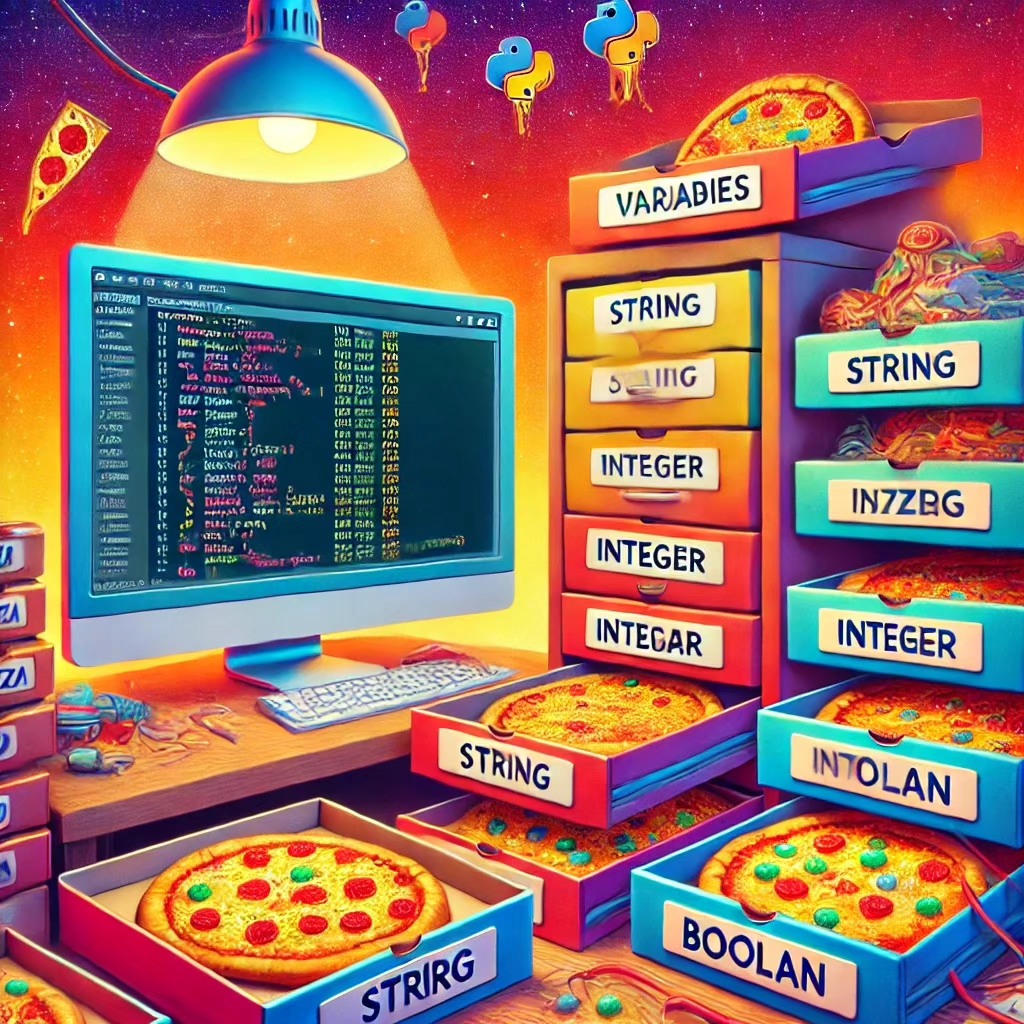
The variable is like a label on a box.
The value is what is inside the box.
Very organized.
Very helpful.
Unlike some real drawers in real houses.
Variables Can Store Different Values
You can create more variables:
name = "Anna"
age = 25
city = "Rome"

print(name)
print(age)
print(city)
Output:
Anna
25
Rome
Here we store:
- text in
name; - a number in
age; - text in
city.
Python remembers each value.
Then print() shows them.
Your program is no longer just shouting fixed text.
Now it can store information.
A tiny brain has appeared.
Respect it.
Changing Variable Values
A variable can change.
Example:
name = "Anna"
print(name)

name = "Marco"
print(name)
Output:
Anna
Marco
First, name stores "Anna".
Then we replace it with "Marco".
The old value is gone from that variable.
Python does not become emotional.
It does not say:
But Anna was here first.
It simply updates the value.
Very cold.
Very efficient.
Very computer.
The Order Matters
Python runs code from top to bottom.
Example:
name = "Anna"
print(name)

name = "Sofia"
print(name)
Output:
Anna
Sofia
At the first print(name), the value is "Anna".
At the second print(name), the value is "Sofia".
Python does not look at the future.
It runs line by line.
Like a very obedient train.
Usually on time.
Unless your code derails.
Strings
A string is text.
Strings are written inside quotes.
Example:
name = "Anna"
city = "Rome"
message = "I am learning Python"
You can print them:
print(name)
print(city)
print(message)
Output:
Anna
Rome
I am learning Python
Strings can use double quotes:
name = "Anna"
Or single quotes:
name = 'Anna'
Both work.
But do not mix them.
Wrong:
name = "Anna'
Python will complain.
And this time, Python is right.
Quotes must match.
A string is like a suitcase.
If you open it with one lock and close it with another, chaos begins.
Strings Can Contain Spaces
Strings can contain spaces:
full_name = "Anna Rossi"
message = "Python is very useful"

print(full_name)
print(message)
Output:
Anna Rossi
Python is very useful
Everything inside the quotes is part of the string.
Spaces included.
Python does not remove spaces because it feels tidy.
Python keeps what you write.
Very literal.
Very loyal.
Sometimes too loyal.
Numbers: Integers
An integer is a whole number.
Example:
age = 25
year = 2026
quantity = 10
Integers do not need quotes.
Correct:
age = 25
This is different:
age = "25"
The first one is a number.
The second one is text.
Humans see both as 25.
Python sees two different things.
Python is not impressed by visual similarity.
Python wants types.
Strict little accountant.
Numbers: Floats
A float is a number with a decimal point.
Example:
price = 19.99
temperature = 21.5
height = 1.75
Floats are useful for prices, measurements, averages, and many other values.
Example:
price = 19.99

print(price)
Output:
19.99
Important detail:
price = 19.99
uses a dot.
Not a comma.
Correct:
price = 19.99
Wrong:
price = 19,99
In Python, decimal numbers use a dot.
The comma has other meanings.
Python does not care that your country may write prices differently.
Python has its own kitchen rules.
Booleans
A boolean is a value that can be either:
True
or:
False
Example:
is_student = True
is_admin = False

print(is_student)
print(is_admin)
Output:
True
False
Booleans are very useful for decisions.
Example ideas:
Is the user logged in?
Is the file available?
Is the password correct?
Is the product in stock?
Booleans are simple.
But powerful.
Like a light switch.
On.
Off.
No philosophical discussion.
True and False Must Be Capitalized
In Python, booleans must be written like this:
True
False
Wrong:
true
false
Python will not understand those as booleans.
Python is case-sensitive.
That means uppercase and lowercase matter.
These are different:
True
true
TRUE
Only this is correct:
True
Same for:
False
Python is polite.
But it does not accept creative spelling here.
Checking Data Types with type()
Python can tell you what type a value has.
Use type().
Example:
name = "Anna"
age = 25
price = 19.99
is_student = True

print(type(name))
print(type(age))
print(type(price))
print(type(is_student))
Output:
<class 'str'>
<class 'int'>
<class 'float'>
<class 'bool'>
This means:
str    string
int    integer
float  decimal number
bool   boolean
type() is useful when you are not sure what kind of value you have.
Very useful during debugging.
And debugging is just detective work with more coffee.
Four Basic Data Types
For now, remember these four:
str    text
int    whole number
float  decimal number
bool   True or False
Examples:
name = "Anna"        # str
age = 25             # int
price = 19.99        # float
is_active = True     # bool
These data types are everywhere.
You will use them constantly.
They are like the basic ingredients of Python cooking.
Text.
Numbers.
Decimals.
Truth.
A strange recipe.
But it works.
Printing Text and Variables Together
You can print text and variables together using commas:
name = "Anna"
age = 25

print("Name:", name)
print("Age:", age)
Output:
Name: Anna
Age: 25
This is simple and useful.
print() can accept multiple values separated by commas.
Python adds spaces between them automatically.
Very kind.
For once.
Using f-strings
A very common way to combine text and variables is an f-string.
Example:
name = "Anna"
age = 25

print(f"My name is {name}.")
print(f"I am {age} years old.")
Output:
My name is Anna.
I am 25 years old.
The f before the quotes means:
This string can include variables inside curly braces.
Example:
f"My name is {name}"
Python replaces:
{name}
with the value of the variable.
f-strings are very useful.
Very readable.
Very Python.
Use them often.
Your future self will approve.
Simple Calculations with Variables
Variables can be used in calculations.
Example:
price = 10
quantity = 3

total = price * quantity

print(total)
Output:
30
Here Python calculates:
10 * 3
and stores the result in:
total
Then we print total.
Very useful.
This is the beginning of real programming logic.
Small shop.
Small calculation.
Big concept.
More Calculation Examples
Try:
a = 10
b = 5

print(a + b)
print(a - b)
print(a * b)
print(a / b)
Output:
15
5
50
2.0
You can also store results:
a = 10
b = 5

sum_result = a + b
difference = a - b
product = a * b
division = a / b

print(sum_result)
print(difference)
print(product)
print(division)
This is clearer when programs grow.
Clear names matter.
Because future you does not want to solve a mystery called:
x = a * b
Future you has suffered enough.
Updating a Number
You can update a variable using its old value.
Example:
score = 10
score = score + 5

print(score)
Output:
15
This means:
Take the old value of score.
Add 5.
Store the new value back in score.
This is very common.
At first it may look strange.
In math, this would be weird.
In programming, it is normal.
The = symbol in Python means assignment.
Not “is equal forever”.
It means:
put this value into this variable
Very important.
Shorter Update Syntax
Python has a shorter way:
score = 10
score += 5

print(score)
Output:
15
This:
score += 5
means:
score = score + 5
You can also use:
score -= 2
score *= 3
score /= 2
Do not worry too much now.
Just know this syntax exists.
Python developers use it often.
Because apparently saving a few characters makes us feel powerful.
Variable Naming Rules
Variable names must follow rules.
Good names:
name = "Anna"
user_age = 25
product_price = 19.99
is_active = True
Rules:
- use letters, numbers, and underscores;
- do not start with a number;
- do not use spaces;
- do not use Python keywords;
- names are case-sensitive.
Wrong:
2name = "Anna"
user age = 25
product-price = 19.99
These will not work.
Python variable names must be valid.
Python is not flexible about this.
Not even if you ask nicely.
Use Clear Variable Names
Bad:
x = "Anna"
y = 25
z = 19.99
Better:
name = "Anna"
age = 25
price = 19.99
Clear names make code easier to understand.
This matters more than beginners think.
A program is read more often than it is written.
Especially by you.
At midnight.
After forgetting what you wrote.
So do not punish future you.
Use good names.
Snake Case
In Python, variable names usually use snake_case.
Example:
first_name = "Anna"
last_name = "Rossi"
user_age = 25
product_price = 19.99
Snake case means:
lowercase words separated by underscores
Like this:
very_clear_variable_name
It is called snake_case because it looks like a snake.
A very organized snake.
Since this is Python, that feels appropriate.
Case Sensitivity
Python is case-sensitive.
These are different variables:
name = "Anna"
Name = "Marco"
NAME = "Sofia"

print(name)
print(Name)
print(NAME)
Output:
Anna
Marco
Sofia
Python sees them as three different names.
But please do not do this in real code.
It is confusing.
Confusing code is where bugs build apartments.
Use one clear style.
Prefer:
name
not:
Name
NAME
nAmE
Your code is not a ransom note.
Common Mistake: Using a Variable Before Creating It
Wrong:
print(name)

name = "Anna"
Python runs top to bottom.
At the first line, name does not exist yet.
So Python complains:
NameError: name 'name' is not defined
Correct:
name = "Anna"

print(name)
Create the variable first.
Use it after.
Very simple.
Very important.
Like putting shoes on before walking outside.
Usually recommended.
Common Mistake: Forgetting Quotes Around Text
Wrong:
name = Anna
Python thinks Anna is a variable.
But we did not create a variable called Anna.
Correct:
name = "Anna"
Text needs quotes.
Variable names do not.
Compare:
name = "Anna"
print(name)
This prints:
Anna
The quotes create text.
The variable stores it.
Then print(name) shows the stored value.
Very clean.
Very Python.
Common Mistake: Confusing Numbers and Strings
Look at this:
age = 25
This is an integer.
Now this:
age = "25"
This is a string.
They are not the same.
Try:
age = "25"

print(type(age))
Output:
<class 'str'>
Even though it looks like a number, Python treats it as text because it is inside quotes.
This matters.
A lot.
Especially when doing calculations.
Example: String Cannot Be Used Like a Number
Try:
age = "25"
next_year = age + 1

print(next_year)
This will produce an error.
Why?
Because age is text.
Python cannot add number 1 to text "25".
Correct:
age = 25
next_year = age + 1

print(next_year)
Output:
26
Data types matter.
Python is not guessing.
Python is not saying:
This looks like a number, so maybe...
No.
Python follows the type.
Strict.
But fair.
Mostly.
Converting Types
Sometimes you need to convert a value from one type to another.
Examples:
age_text = "25"
age_number = int(age_text)

print(age_number + 1)
Output:
26
Here:
int(age_text)
converts the string "25" into the integer 25.
You can also use:
str()
float()
bool()
Examples:
number = 25
text = str(number)

price_text = "19.99"
price = float(price_text)
We will practice type conversion more later.
For now, just know it exists.
It is like teaching Python:
Please treat this value as another type.
Python may agree.
Unless the value makes no sense.
Example:
int("banana")
Python will strongly disagree.
Understandable.
Mini Program: Product Price
Create a file:
product.py
Write:
product_name = "Notebook"
price = 5.99
quantity = 3

total = price * quantity

print(f"Product: {product_name}")
print(f"Price: {price}")
print(f"Quantity: {quantity}")
print(f"Total: {total}")
Run it:
python product.py
or:
python3 product.py
Output:
Product: Notebook
Price: 5.99
Quantity: 3
Total: 17.97
This is already useful logic.
You store data.
You calculate a result.
You print a readable message.
Tiny program.
Real idea.
Very good.
Mini Program: User Profile
Create another file:
profile.py
Write:
first_name = "Anna"
last_name = "Rossi"
age = 25
city = "Rome"
is_student = True

print(f"Name: {first_name} {last_name}")
print(f"Age: {age}")
print(f"City: {city}")
print(f"Student: {is_student}")
Output:
Name: Anna Rossi
Age: 25
City: Rome
Student: True
This is a simple user profile.
Many real applications store information like this.
Of course, real applications store it in databases.
But before databases, we need variables.
A variable is the first small memory.
A database is the big serious memory with paperwork.
Practice
Create a file:
practice_variables.py
Write variables for:
- your name;
- your age;
- your city;
- your favorite programming language;
- whether you are learning Python;
- the price of something you bought;
- the quantity.
Example:
name = "Viktor"
age = 33
city = "Vigevano"
favorite_language = "Python"
is_learning_python = True
price = 12.50
quantity = 2

total = price * quantity

print(f"Name: {name}")
print(f"Age: {age}")
print(f"City: {city}")
print(f"Favorite language: {favorite_language}")
print(f"Learning Python: {is_learning_python}")
print(f"Total price: {total}")
Run the file.
Then change the values.
Run it again.
The goal is to understand this cycle:
change values
run program
see different output
That is one of the main powers of variables.
The code can stay the same.
The data can change.
Very useful.
Very programming.
Mini Challenge
Create a file:
small_shop.py
Your program should store:
- product name;
- product price;
- quantity;
- customer name;
- whether the product is available.
Then calculate:
total price = price * quantity
Print a receipt like this:
Customer: Anna
Product: Keyboard
Available: True
Price: 70.0
Quantity: 2
Total: 140.0
Example solution:
customer_name = "Anna"
product_name = "Keyboard"
is_available = True
price = 70.0
quantity = 2

total = price * quantity

print(f"Customer: {customer_name}")
print(f"Product: {product_name}")
print(f"Available: {is_available}")
print(f"Price: {price}")
print(f"Quantity: {quantity}")
print(f"Total: {total}")
Now change the product.
Change the quantity.
Change the price.
Run again.
This is how you learn.
Not by staring at theory until your soul leaves the room.
By changing code and seeing what happens.
Common Beginner Checklist
When your program does not work, check:
Did I save the file?
Am I running the correct file?
Am I in the correct folder?
Did I spell the variable name correctly?
Did I create the variable before using it?
Did I put text inside quotes?
Did I use dots for decimal numbers?
Did I accidentally use spaces in variable names?
Did I use True and False with capital letters?
This checklist will save you time.
Many beginner errors are small.
Tiny mistake.
Big drama.
Classic programming.
Summary
Today you learned:
- variables store values;
=assigns a value to a variable;- Python runs code from top to bottom;
- variables can change;
- strings store text;
- integers store whole numbers;
- floats store decimal numbers;
- booleans store
TrueorFalse; type()shows the type of a value;- f-strings combine text and variables clearly;
- variables can be used in calculations;
- variable names should be clear;
- Python usually uses
snake_case; - Python is case-sensitive;
- text needs quotes;
- numbers do not need quotes;
- data types matter.
This is one of the most important lessons in programming.
Variables are everywhere.
Every useful program stores values.
A name.
A number.
A price.
A result.
A state.
A truth.
A mistake.
Maybe not the mistake.
But the data about the mistake.
Very modern.
Very Python.
Next Lesson
In the next lesson, we will learn about input.
You will learn how to ask the user for information:
name = input("What is your name? ")
Then your programs will become interactive.
Instead of only printing fixed values, they will ask questions and respond.
That is when your program starts feeling alive.
Not too alive.
We are not building a robot rebellion.
Just a small Python program.
For now.